
The Carriers page allows the administrator to add or delete individual Carriers or to modify an existing Carrier’s information. Enter or modify the information in the listed fields.
Go to Settings > Carriers. To start the process ensure the first field on the page reads “Add Carrier” to add a new carrier or select a carrier from the same list to update the given carrier’s information.
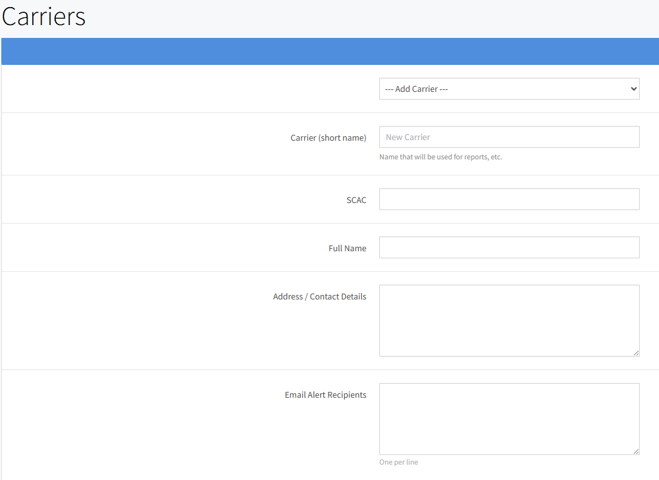
- Carrie (short name): At a minimum the carrier´s name is required. This is the name that will be displayed in lists and tables throughout the system.
- EMAIL/SMS alert recipients: The EMAIL/SMS recipients´list is used as a default for the corresponding fields in the Contact Carrier page.
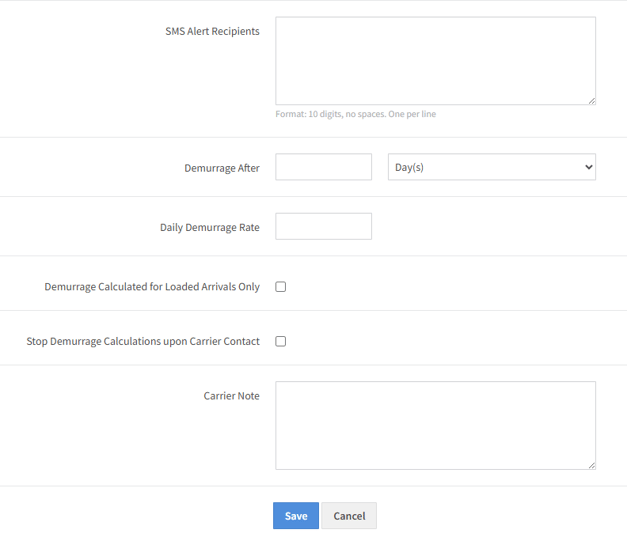
- Demurrages: The demurrages related fields are optional, but if filled out, are used for calculations in the Demurrage Report
Click Save to finalize the process. Click delete if the selected carrier is no longer need (note the delete button only appears when a carrier is selected.