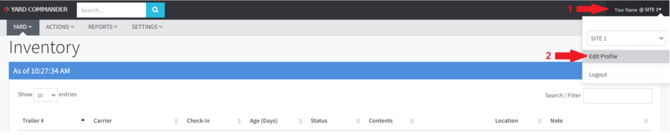
1. Click your name/site text at the top right of the screen.
2. Select Edit Profile.
3. Enter a new password.
4. Confirm the new password.
5. Click Save.

1. Click your name/site text at the top right of the screen.
2. Select Edit Profile.
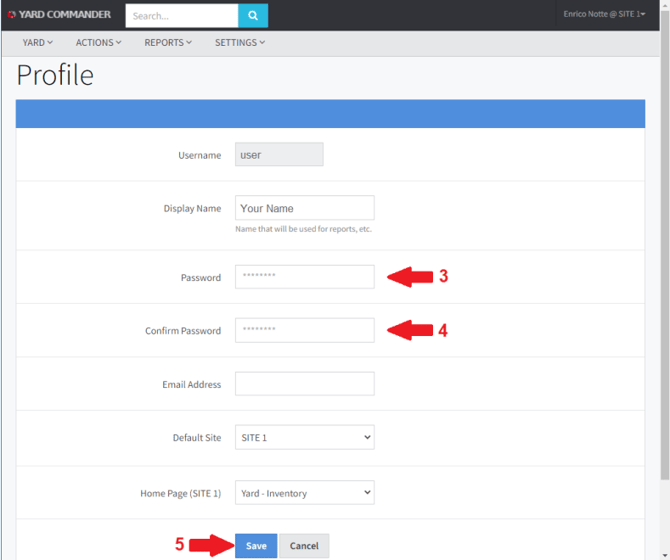
3. Enter a new password.
4. Confirm the new password.
5. Click Save.