
The Inventory page in Yard Commander provides details of all the trailers currently in the yard associated with your permissions. You can view the inventory, search/filter to find specific trailers, and bring up a list of functions.
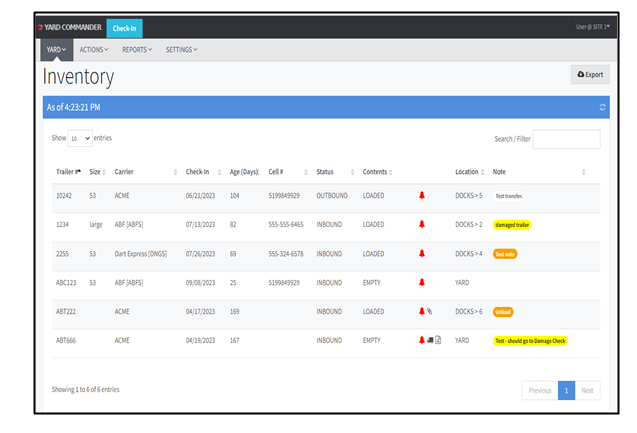
Note: The columns will vary by site as they are configurable.
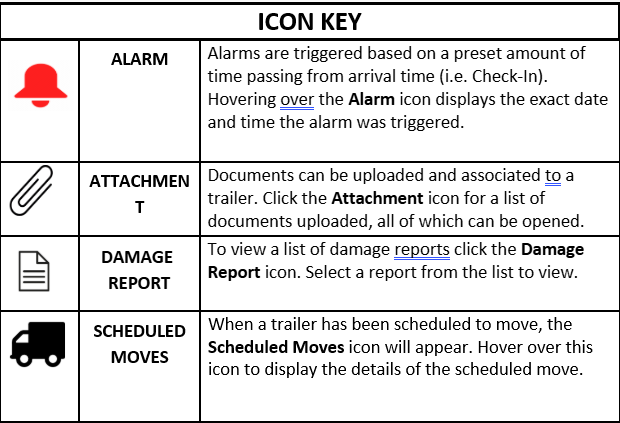
The Inventory page may display the following icons:
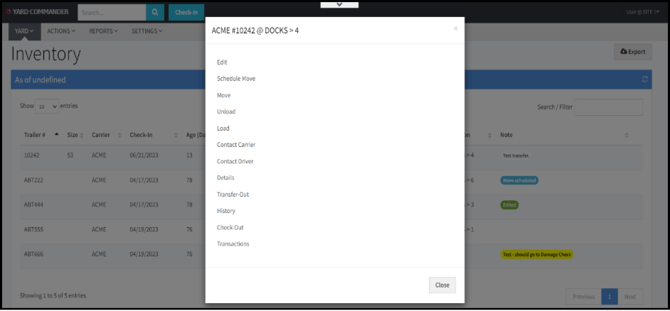
The Inventory page allows for a short-cut to the menu. Scroll through the list and click on any highlighted line to bring up a pop-up window that will display a list of authorized actions. Click on the action you want to perform to be redirected to that specific action page, ex. “Details”.
ACTIONS may include:
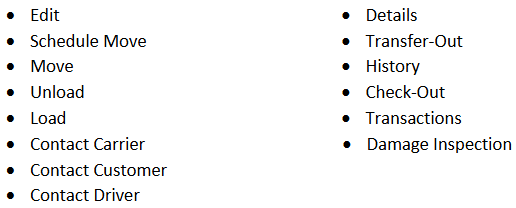
Note: The list of actions will vary depending on account permissions.